A simple trick to enter your apartment and access your floor without carrying an annoying FOB.
Works with any phone – No App to install – Do it yourself in minutes!If you live in an apartment, you probably carry a bulky FOB around to access your building. These typically combine 2 functions:
- A remote control for the building’s parking garage.
- An RFID chip that you can beep to open doors and control the elevator.
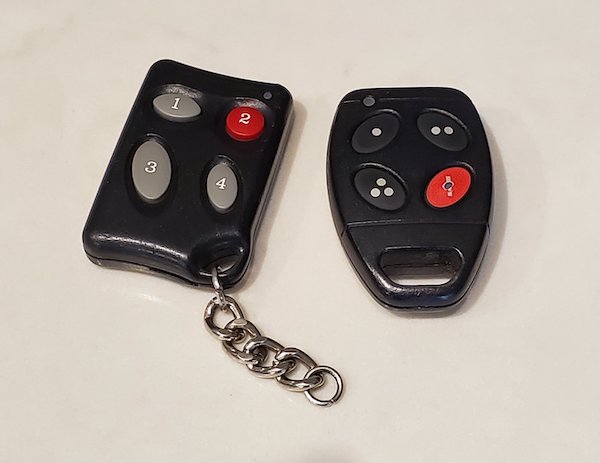
Both of these are useful, but it having them in the same physical FOB can be annoying. If you put the FOB on your keychain (makes sense) then you need to carry your keys all the time, even if you’re just taking the dog out. Slightly annoying.
Nowadays we can use our smartphones as everything from credit cards to boarding passes, so it would be nice if it could be your FOB as well! A lot of phones do have RFID now, but as far as I’ve heard there are no building managers who support this – frankly they don’t care since they are not the ones inconvenienced.
However, there is a very simple low-tech trick that lets you use your phone as a FOB…
Separate the RFID from the garage remote and put it on your phone!
Here is how to do it for the 2 most common types of FOBs
Decal-style RFID on outside of FOB
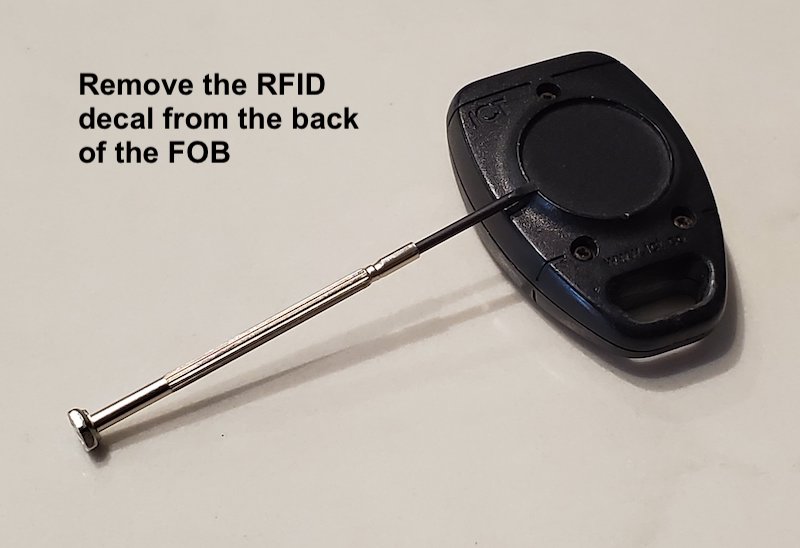
For FOBs that look like this, it is super easy. Use a knife or small screwdriver to gently and slowly lift the RFID decal out of the indentation on the back of the FOB. Then you can stick it on your phone case… done!
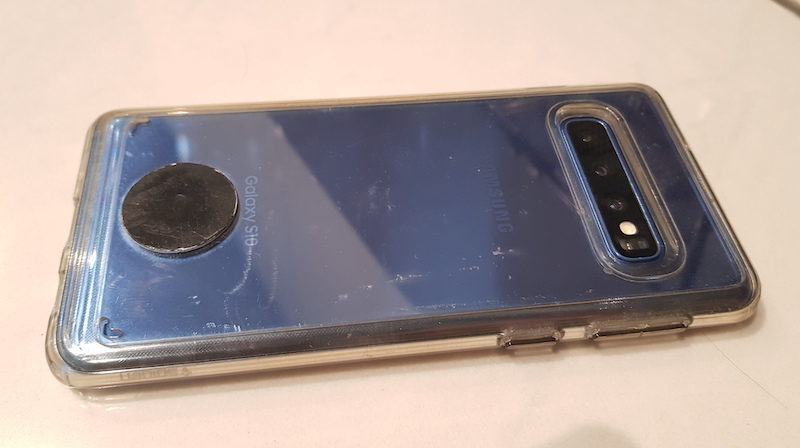
Coil-style RFID on inside of FOB
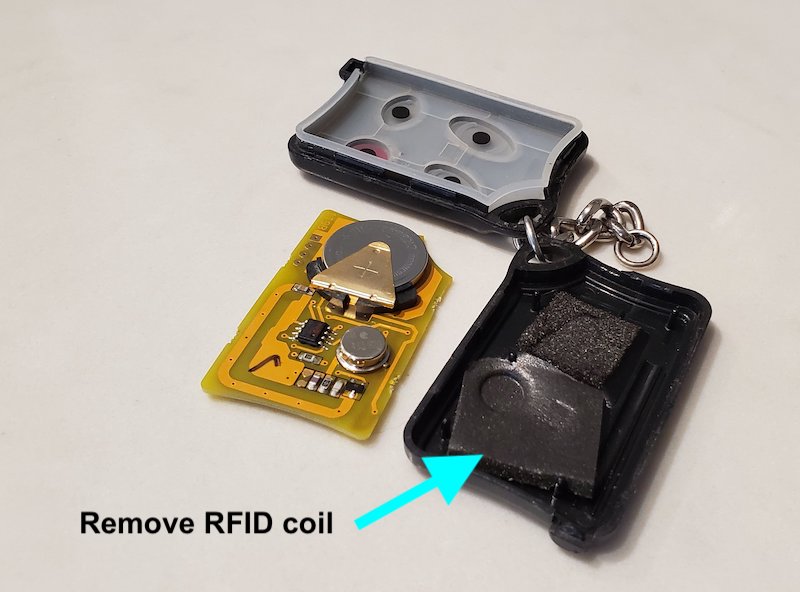
If you don’t see a decal on the outside, that means that the RFID is inside the FOB. You’ll need to open it up (just like when you change the battery) and carefully remove the coil and chip. On mine, there was a sticky pad that attached the coil to the inside of the FOB. I simply moved this to the inside of my phone case. If your coil doesn’t have a sticky pad, you can use some black electrical tape to securely attach it to the case.
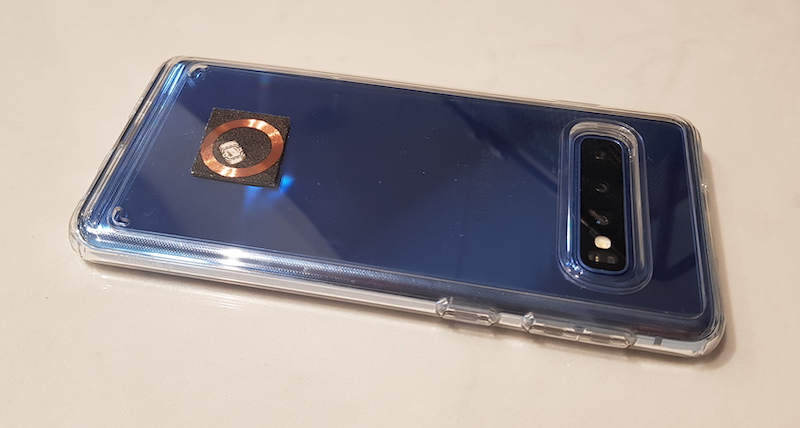
Things to consider…
- Most phones these days are waterproof, but your FOB isn’t. Make sure you keep your phone away from water. If you need to use it in a wet situation, maybe take the case off and keep it somewhere dry. That being said, for the decal-style RFID, I took my phone swimming with it and had no issues.
- The coil types are more fragile, so be careful when moving it and make sure it’s securely attached inside your phone case. I wouldn’t suggest doing this if you don’t have a case on your phone.
Another idea… Use a code to enter instead of a FOB!
To eliminate the FOB completely, check https://condolifehacks.com/no-fob/
What to do with the rest of the FOB?
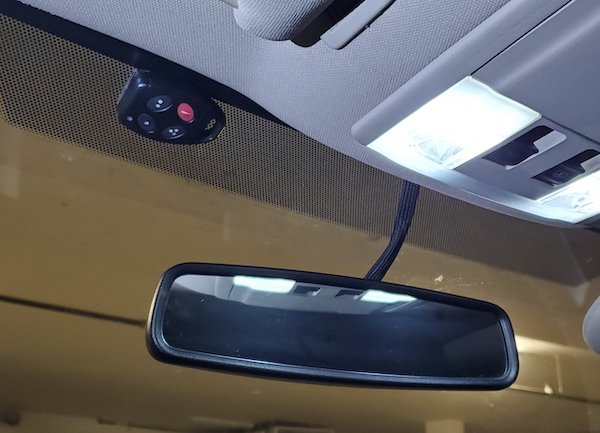
Since the rest of the FOB is only used for the garage door, it makes sense to keep it in your car. I stuck mine to the top of my windshield with some double sided mounting tape. Super easy to press.. no more fumbling!
]]>